How guests and AI assistants find Winvian
Prepared by Ethan Hawkes · checked 30 October 2026 (7:38 pm ET) · PDF copy
What we checked
- Your home page, fetched signed out
- Your robots.txt, sitemap and llms.txt
- The structured data (JSON-LD) that search engines and AI assistants read from your home page
- Every finding below is quoted exactly, with the page it came from and the time it was fetched
What we found on your site
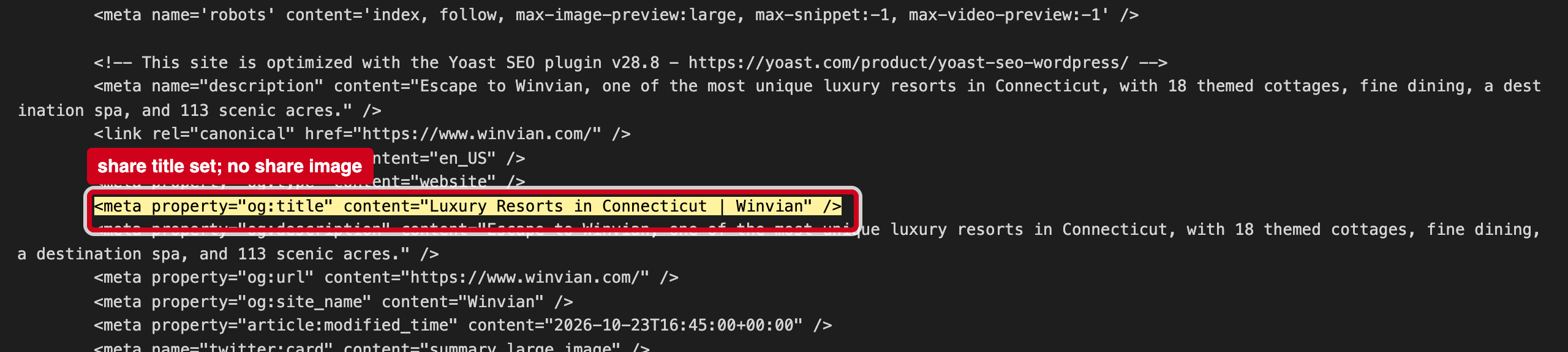
“<meta property="og:title" content="Luxury Resorts in Connecticut | Winvian" />”
Source: https://www.winvian.com/, fetched 2026-10-30 19:38 ET
Your share title and description are set, but the page has no og:image tag. When someone texts or posts your link, the app either shows no picture or picks one on its own, and a property whose description leads with its 18 themed cottages loses its best first impression.
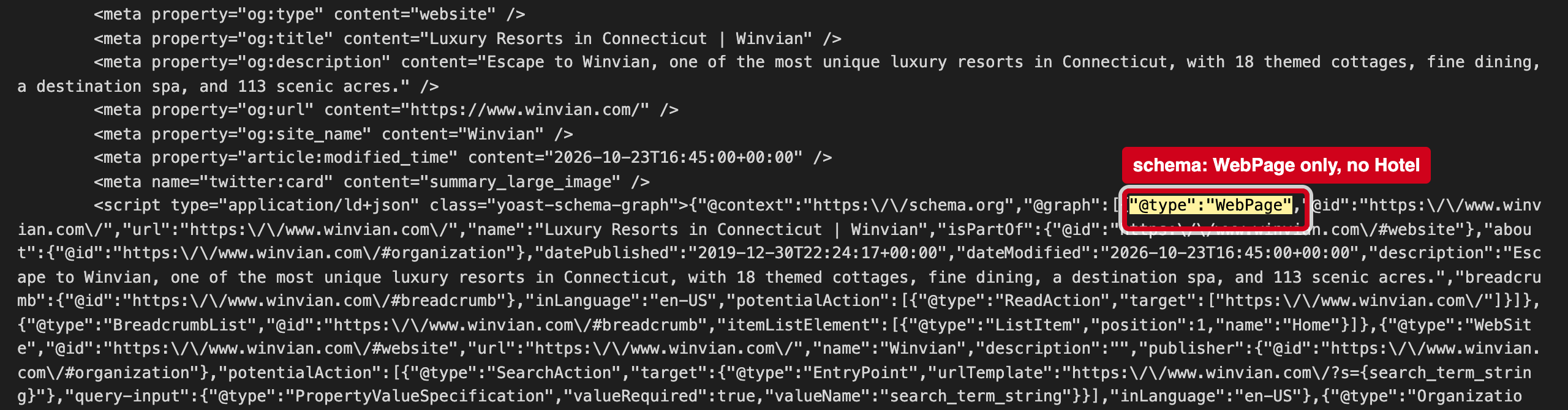
“"@type":"WebPage"”
Source: https://www.winvian.com/, fetched 2026-10-30 19:38 ET
The JSON-LD block on your home page lists WebPage, WebSite and breadcrumb types, but no Hotel or LodgingBusiness entry. That entry is where search engines and AI trip planners read Winvian's name, address, phone, check-in times and price range as facts.
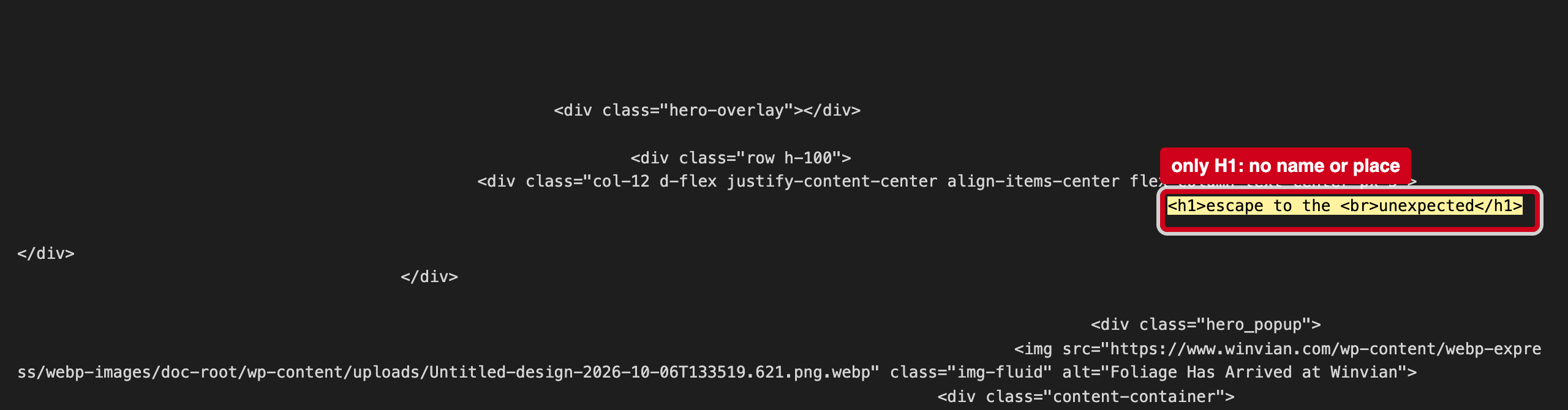
“<h1>escape to the <br>unexpected</h1>”
Source: https://www.winvian.com/, fetched 2026-10-30 19:38 ET
Search engines and screen readers read the H1 as the page's main topic. It does not say Winvian, Morris or Connecticut.
Why it matters
Search engines and AI trip planners read the structured data block and the files at the root of your site to learn your basic facts. When those are missing or disagree with what a guest sees, machines either skip them or repeat the wrong version, and fill the gaps from booking sites instead of from you.
4 fixes, ranked
- Set a share image.Add og:image pointing at your best cottage photo, at least 1200 px wide.Web · 10 minutes
- Add a Hotel block to the structured data.Name, address, phone, geo coordinates, check-in/out times, price range and links to your Google and TripAdvisor listings. Most SEO plugins can do this from one form.Web · 30 minutes
- Put the name in the H1.Keep the slogan as a subheading; make the H1 "Winvian, Morris, Connecticut".Web · 10 minutes
- Test the home page in Google's Rich Results Test.Paste the home page URL into search.google.com/test/rich-results to confirm the hotel block reads the way you want.Web · 15 minutes
If it's useful, I'd welcome 20 minutes to compare notes on how guests are finding independent hotels now. — Ethan Hawkes, Signalry